Mixdown for Mixamo

The whole Mixamo library, downloaded for you.

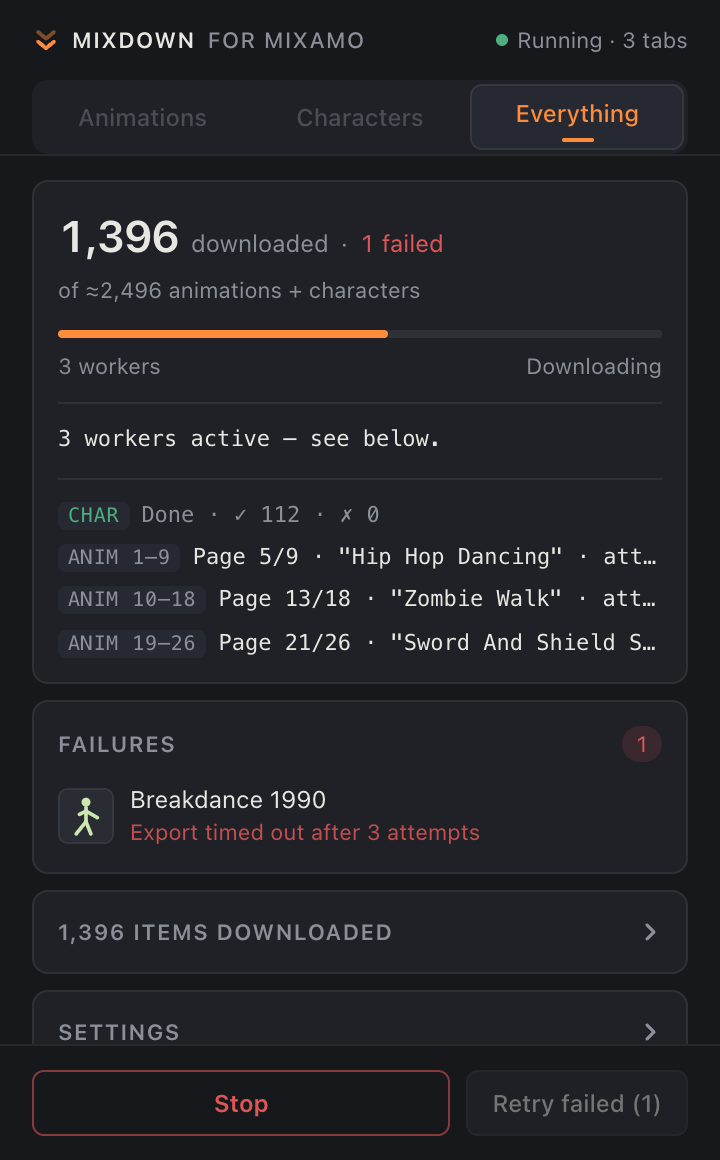
Mixdown is a Chrome extension. Pick Animations, Characters or Everything, choose a folder, and worker tabs sweep the catalog page by page. Every file lands sorted, with its preview beside it.

Add to Chrome Read the privacy policy
The Mixdown popup during a run: 1,396 downloaded, three worker tabs each on their own page range.

Pick a folder and a speed.

Start opens a short sheet: the folder inside Downloads, and how many worker tabs to run. Each tab takes its own slice of the catalog. Three or four tabs is the sweet spot; more can trip Mixamo's rate limits, and those items go to the failures list for a retry.

Your Mixamo export settings apply to every file: format, frames per second, keyframe reduction, skin, in place, pose and page range.
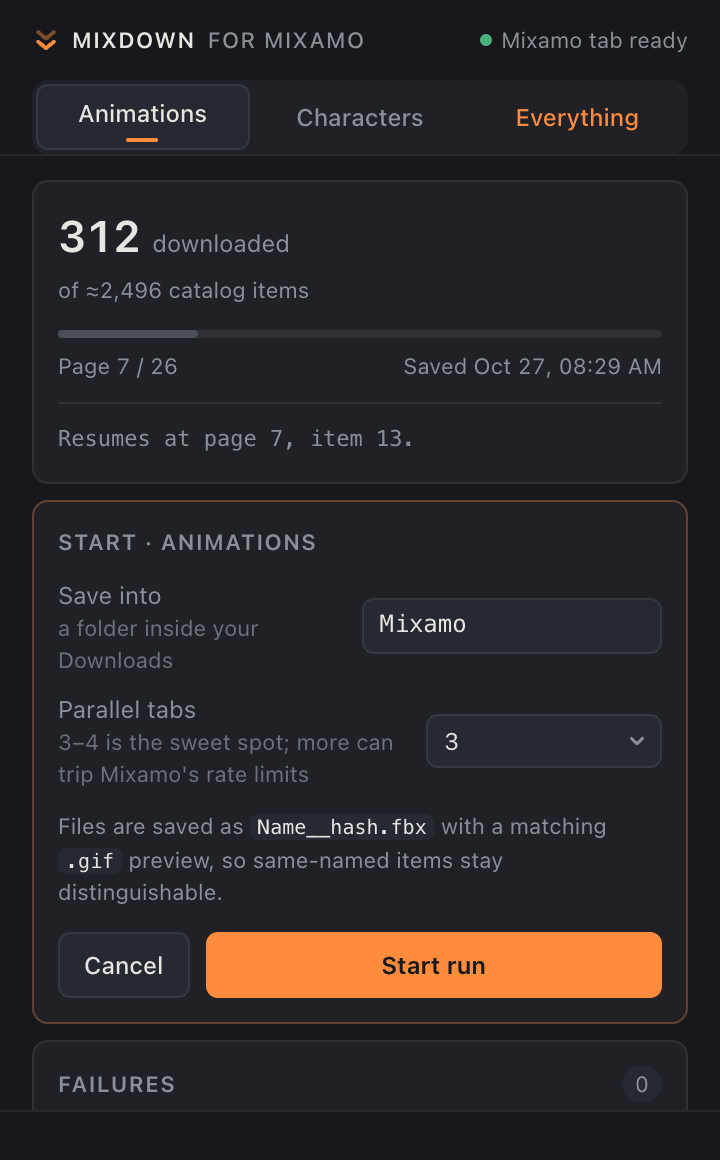
The start sheet: Save into Mixamo, Parallel tabs 3, Start run.

Files that stay sorted.

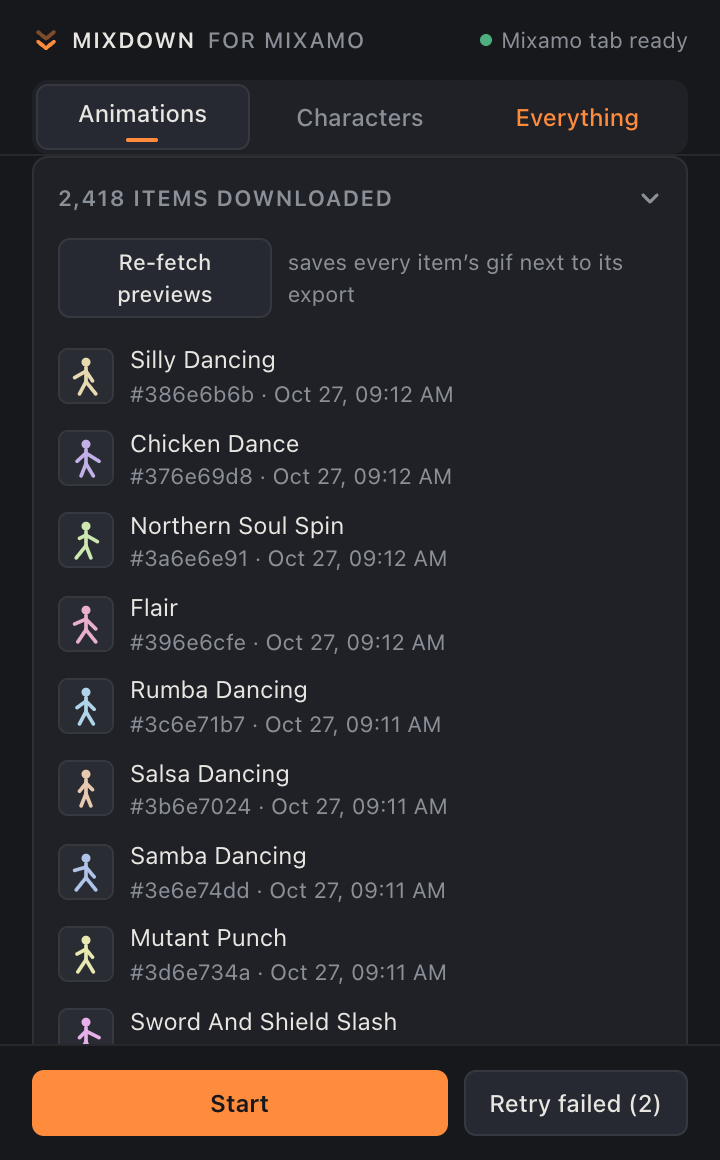
Mixamo has many items with the same name. Mixdown saves each export as the name plus a short hash of the item's catalog identity, and puts the animated preview next to it with the same name. Nothing overwrites anything, and every FBX can be matched to its preview later.

Downloads/Mixamo/
  animations/
    Idle__3a6e6e91.fbx
    Idle__3a6e6e91.gif
    Idle__b02f71c4.fbx   (same name, other item)
    Idle__b02f71c4.gif
    Hip Hop Dancing__c91e4d07.fbx
    Hip Hop Dancing__c91e4d07.gif
  characters/
    Y Bot__9f0c3d22.fbx
    Y Bot__9f0c3d22.gif

Close the popup. Close the browser. Come back later.

Progress is saved after every item. Start again and every worker skips what any worker already finished. Items that failed are listed by name; Retry failed fetches just those, without sweeping the catalog again.

The toolbar badge shows the live count, and one notification fires when the run is done.

The downloaded list: each row shows the item name, its hash and the time it was saved.

Before the first run

Four things, once.

  1. Sign in at mixamo.com.
  2. In chrome://settings/downloads, turn off "Ask where to save each file before downloading".
  3. Allow multiple automatic downloads for mixamo.com when Chrome asks.
  4. Keep the machine awake. A full run takes hours.